Azure SQL Database is a fully managed Platform as a Service (PaaS) database engine. Depending on your requirement, you can select model that works for your needs
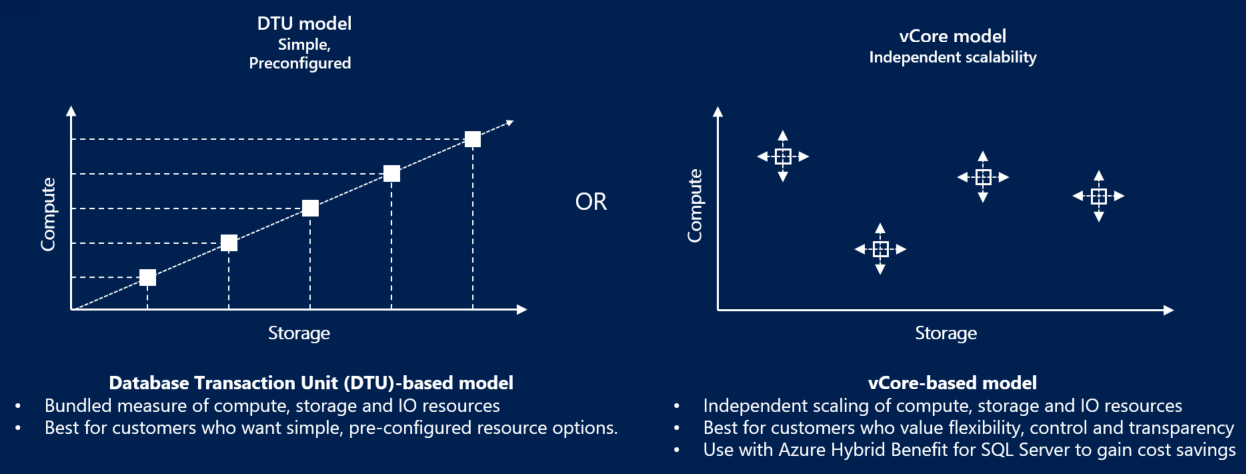
- vCore (Virtual Core) based model
- DTU (Database Transaction Unit) model
DTU-based model
The DTU-based purchasing model uses a database transaction unit (DTU) to calculate and bundle compute costs. A database transaction unit (DTU) represents a blended measure of CPU, memory, reads, and writes. The DTU-based purchasing model offers a set of preconfigured bundles of compute resources and included storage to drive different levels of application performance. If you prefer the simplicity of a preconfigured bundle and fixed payments each month, the DTU-based model might be more suitable for your needs.
- This model is based on a bundled measure of compute, storage, and I/O resources.
- Compute sizes are expressed in DTUs for single databases and in elastic database transaction units (eDTUs) for elastic pools.
DTU-based model best for Customers who want simple, preconfigured resource options.
In the DTU-based purchasing model, you can choose between the basic, standard, and premium service tiers for Azure SQL Database.
vCore-based model
A virtual core (vCore) represents a logical CPU and offers you the option to choose between generations of hardware and the physical characteristics of the hardware (for example, the number of cores, the memory, and the storage size).
- This model allows you to choose compute, memory, and storage resources based on your workload needs.
- The vCore-based purchasing model also allows you to use Azure Hybrid Benefit for SQL Server to Save Costs (Using your existing on-premises Windows Server and SQL Server licenses on the cloud with no additional cost).
vCore-based model best for customers who value flexibility, control, and transparency.
vCore-based purchasing model costs depend on the choice and usage of:
- Service tier
- Hardware configuration
- Compute resources (the number of vCores and the amount of memory)
- Reserved database storage
- Actual backup storage
Reference – Compare vCore and DTU-based purchasing models of Azure SQL Database
Leave a Reply