Today, we have started to migrate the website (ASP.NET 2.0 Website) to ASP.NET MVC. As per the standard practice, we have created a class and put it inside of the App_Code folder in ASP.NET MVC 4.0. However, we cannot access it from controller.
After getting some research,
- App_Code folder is a special ASP.NET run-time folder
- All MVC project is Web Application Projects (WAP) instead of Web Site projects. This means that there’s no need for an App_Code folder since WAPs always get compiled anyway. That means that all *.cs files in your project will get compiled, as opposed to Web Site projects where only *.cs files in your App_Code folder would get compiled.
Solution:
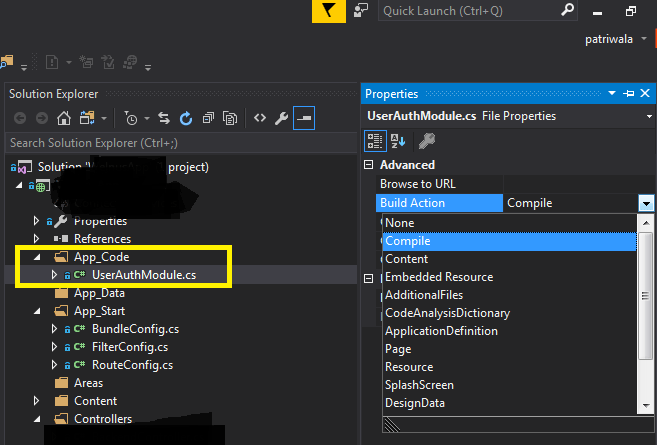
- Go to App_Code folder – right click on the .cs file and check the property
- Set “Build Action” is set to “Compile”
- Build the solution and its working fine.
Happy Programming!!
Leave a Reply